Document management for HubSpot
Your documents, right on the HubSpot record.
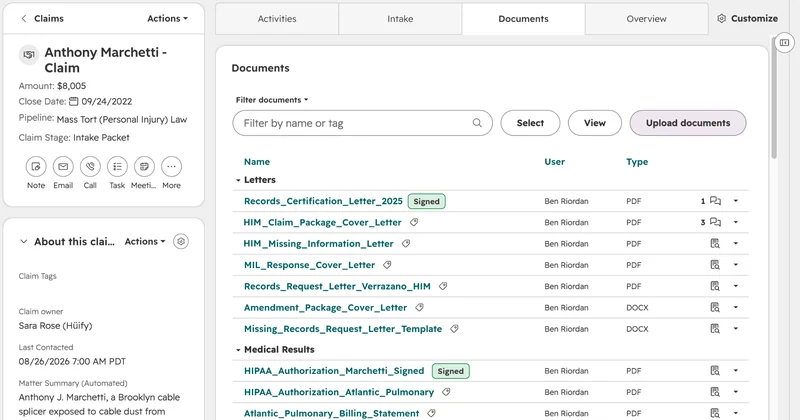
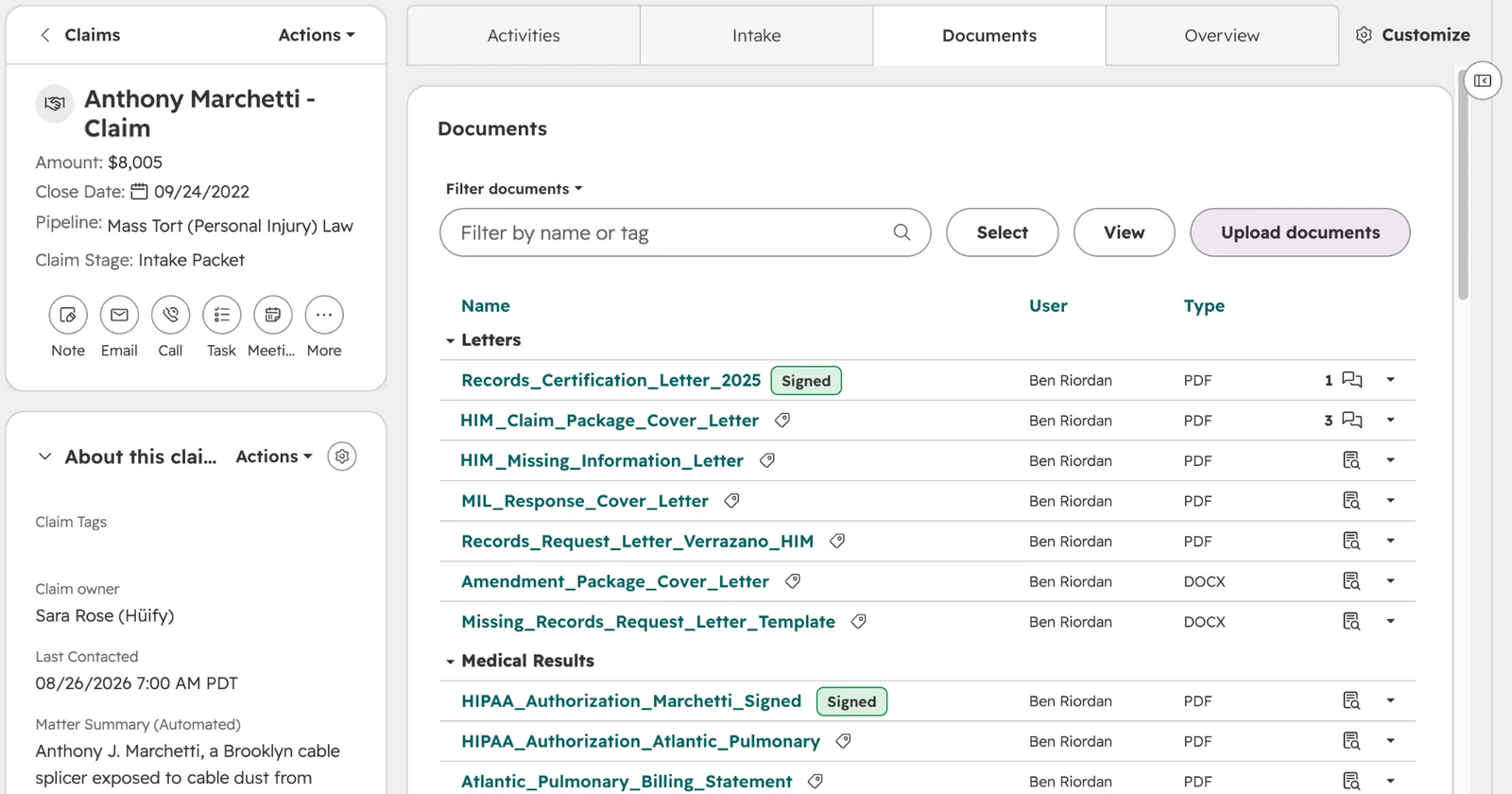
DocAI adds a Documents card to HubSpot contacts, companies, deals, and tickets. The files behind customer work sit next to the record that explains them.
One week · one workflow · cancel the trial anytime
The problem
The record is in HubSpot. The files are somewhere else.
Agreements, intake forms, and supporting files finish the story a record starts. When they sit in folders and inboxes, every handoff begins with a search.
Know which files belong to the work
Open the record and its document set is already there, with the customer context in view.
Switch systems less
Upload, preview, organize, and download without leaving the workspace your team already uses.
Hand off with context
The next person gets the files and the record that explains them, instead of a fresh search.
Available today
Everything a document workflow needs, inside HubSpot.
Each feature links to the matching page of the user guide.
Upload and preview
Add up to 25 files at a time, up to 1 GB each. PDFs and images open right away, and Office files convert to a preview.
Upload, preview & downloadCategories and tags
Give every file one place in a shared structure, then label it with colored classification tags or quick user tags.
Organize documentsBulk actions
Tag or move up to 1,000 documents in one step, and download up to 25 at once.
Work with several documentsComments and mentions
Ask a teammate to review a file, keep the conversation on the document, and create a HubSpot task as a reminder.
Comments & mentionsRoles and permissions
Viewers read and download. Editors upload and organize. Admins manage settings and deletion rights.
Users & permissionsAssociated record documents
Work on a contact while you open the files that belong to its deal, company, or ticket.
Associated record documentsStage requirements
Show which documents a deal or ticket needs before its next stage, and sync a Document gate property to HubSpot.
Stage requirements & gatesPandaDoc connection
Completed PandaDoc documents arrive as sealed PDFs on the right record, already categorized and tagged.
Connect PandaDoc
Broader HubSpot implementation
A legal team measured major time savings across its document work
4 hoursUnder 5 min
To build a cited medical chronology
3 weeks2 days
To process intake for 8,500 enrolled records
3+ FTE
Of capacity returned in year one
Results from the broader HubSpot implementation featured in The Agentic Firm: 750k+ documents and 5.5M pages, August 2026. They come from that full implementation, not from DocAI on its own.
Built for sensitive work
Governance is part of the setup, not an add-on.
DocAI runs in a HIPAA-aligned, single-tenant AWS architecture covered by an AWS BAA. Access follows the HubSpot account, user, and record, then role and capability controls.
- Encryption at rest and TLS in transit
- Role and capability-based access controls
- Short-lived links for upload, preview, and download
- Audit history for document access and lifecycle events
Confirmed before onboarding
Each implementation still needs the right agreements, configuration, permissions, and governance. We confirm storage, access, and migration before any documents move.
What comes next
Document intelligence is on the roadmap.
The same foundation is built to support OCR, search inside documents, cited answers, and agent tools for HubSpot workflows. None of these are in today’s plans. Each will be scoped and priced separately.
- Available today
Capture
Upload from the record, bring in an archive, or route completed PandaDoc documents to the right record.
- Available today
Organize
Categories, tags, access control, comments, associations, and an auditable history.
- Coming, not in today’s plans
Understand
Turn scans, photos, tables, forms, and handwriting into searchable, page-aware text.
- Coming, not in today’s plans
Activate
Find exact language, ask questions with citations, and give HubSpot agents purpose-built tools.
Who it fits
Different industries. The same document bottleneck.
DocAI fits teams that already run customer work in HubSpot and lose time chasing the files behind it.
HubSpot teams
Bring one document-heavy workflow and try it for a week.
Apply for $100 trialHubSpot partners
Bring a client’s document handoff and turn it into a scoped engagement.
For solution partnersSoftware vendors
Explore whether document management can become a product your customers buy.
For software vendors
Pricing
Plans by document volume, from $500 a month.
Essentials, Business, and Managed cover libraries from 25,000 to 750,000 documents. Every plan starts with a $100 one-week trial.
Before you start
Common questions
Where does DocAI live in HubSpot?
On the HubSpot record. The Documents card sits on contacts, companies, deals, and tickets, where your team adds, organizes, previews, and downloads files. A Document Activity card shows the record’s document history, and an Associated Record Documents card can show files from a linked record.
What can DocAI do today?
Document management inside HubSpot: uploads, previews, categories and tags, bulk actions, comments and mentions, history, archive and delete with recovery, roles and permissions, associated-record documents, stage requirements, and a PandaDoc connection for completed documents.
Does DocAI read or answer questions about documents yet?
Not yet. OCR, search inside document text, cited answers, and agent tools are on the roadmap. They are not part of today’s plans, and each will be scoped and priced separately.
Do we need Agent Hub to start?
No. Everything in today’s plans works from the CRM record without Agent Hub. Agent tools are planned, and their availability will depend on your HubSpot subscription and settings.
How is sensitive document data handled?
DocAI runs in a HIPAA-aligned, single-tenant AWS architecture covered by an AWS BAA. Each implementation still needs the right agreements, configuration, permissions, and governance.
How does the $100 trial work?
You agree one document workflow and use it for one week. Scope, setup, start date, and cancellation terms are agreed before payment, and you can cancel the trial anytime. A subscription is a separate decision.
How many teams can start now?
The initial launch is capped at 20 HubSpot portals before the full HubSpot Marketplace launch. Availability depends on existing usage.
Start with one workflow
See it in your own workflow.
One week, your documents, and a clear next step. Scope is agreed before you pay.